Bundle Labels
Add visual labels to connectors on your harness canvas to identify sections, add assembly instructions, or mark test points.
Adding Labels
- Click a connector on the canvas to show its toolbar
- Click the label icon in the toolbar
- Click Add Label to create a new label
- Enter the label text and customize the appearance
- Associate the label with specific wires if needed
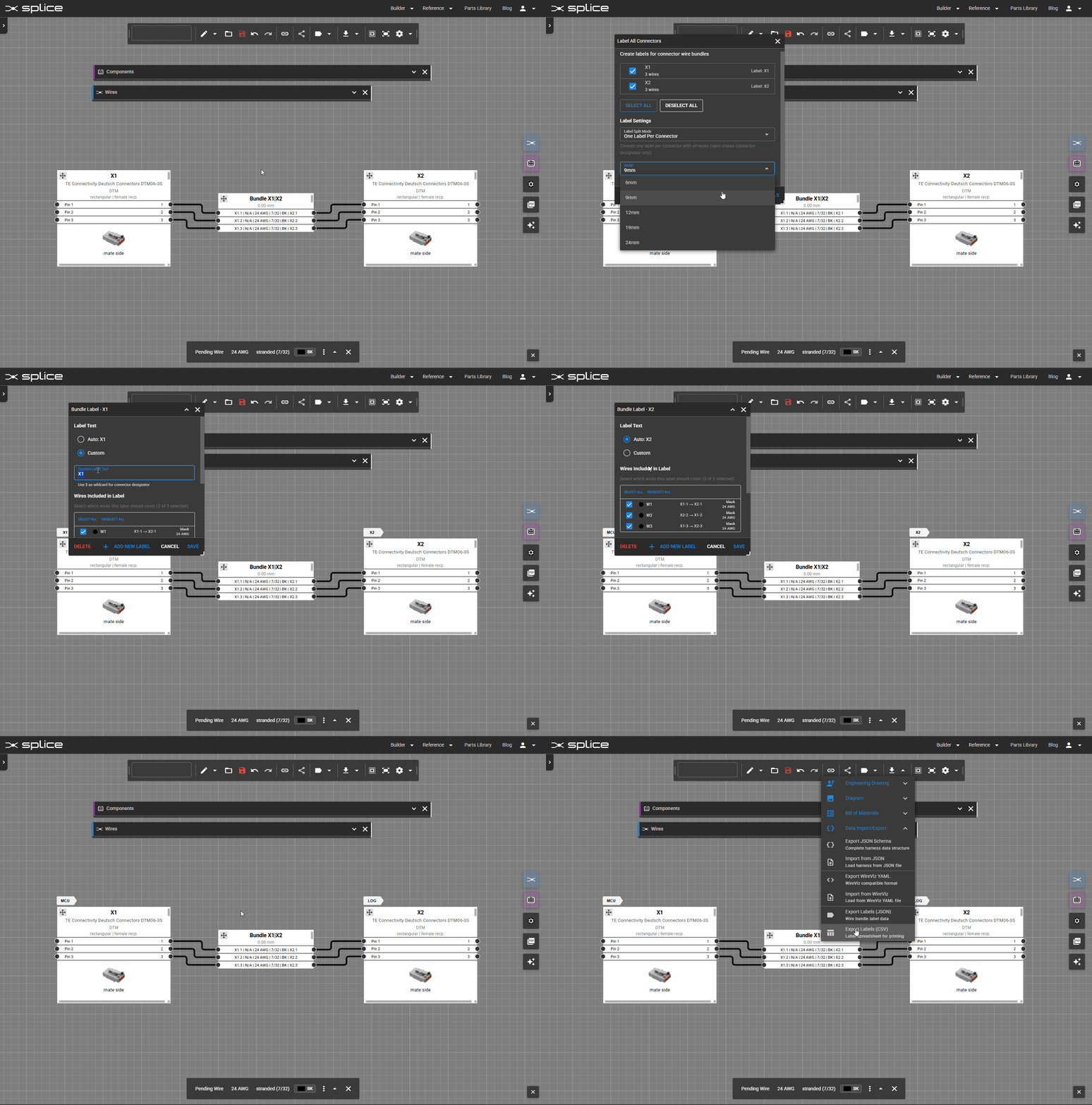 Add labels to connectors via the toolbar.
Label Properties
- Label Text: The text displayed on the label
- Background Color: The fill color of the label tag
- Text Color: The color of the label text
- Wire Association: Which wires the label applies to
Multiple Labels
You can add as many labels as needed to each connector. Each label can be associated with different wires, making it useful when a single connector has multiple label requirements.
Visibility Control
Toggle label visibility in the label editor dialog. This allows you to show or hide all labels on the canvas without deleting them.
Wire Label Export
Labels can be exported for use with heat-shrink label printers:
- Click a connector and then click the label icon
- Configure label settings and wire associations
- Download label data compatible with popular heat-shrink printer software
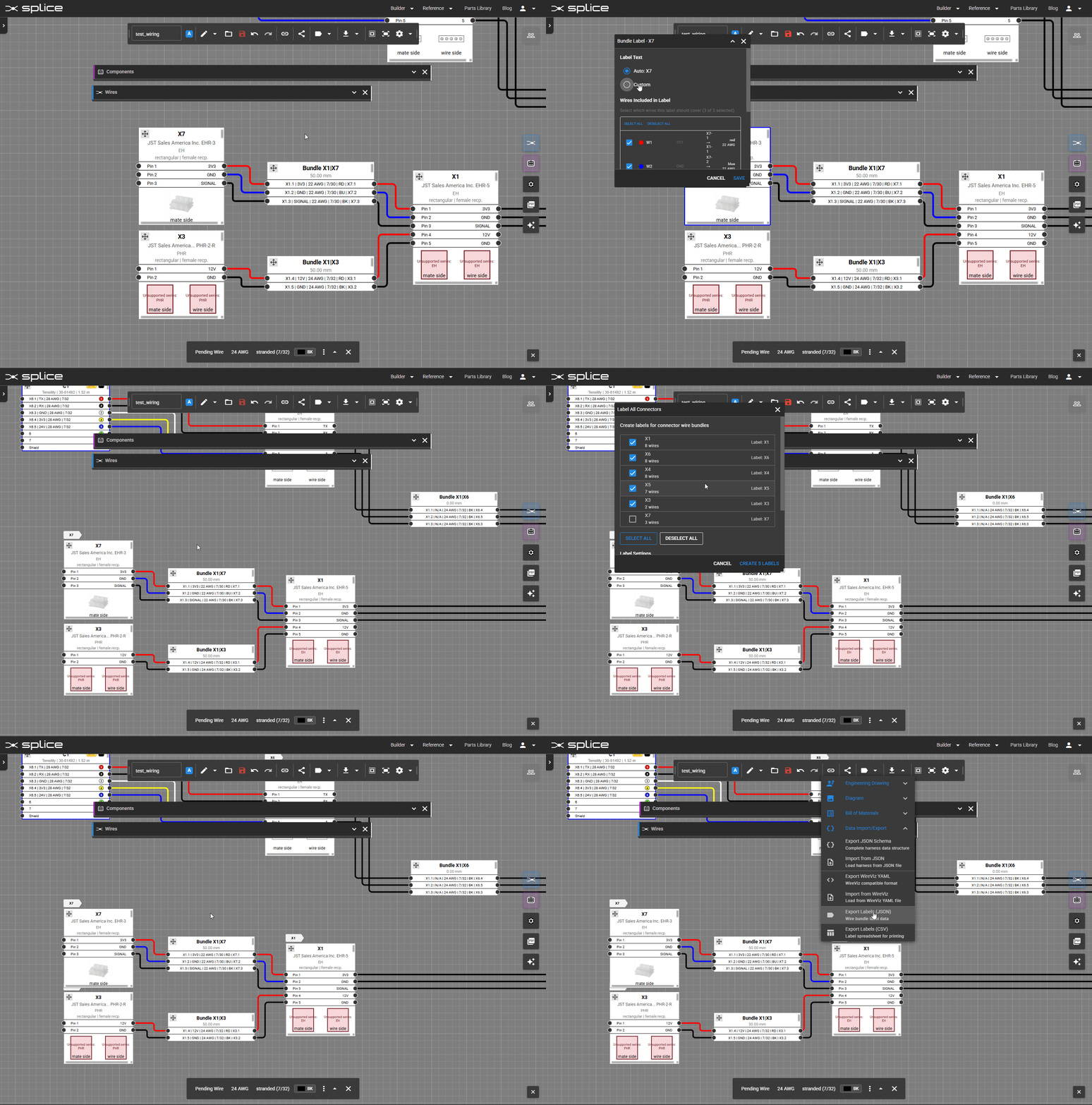 Configure and export wire labels for heat-shrink printers.
Use Cases
- Identifying harness sections or branches
- Adding assembly instructions
- Marking test points or inspection locations
- Color-coding by function or destination
- Generating wire labels for heat-shrink printing