Wire Anchors
Wire anchors are control points on the schematic canvas that set the vertical jog location of wire paths and cable cores between connectors. By default, wire anchors are auto-routed — Splice positions them automatically when connections are created. Hover over any wire or cable core to reveal its anchor and enable repositioning by dragging.
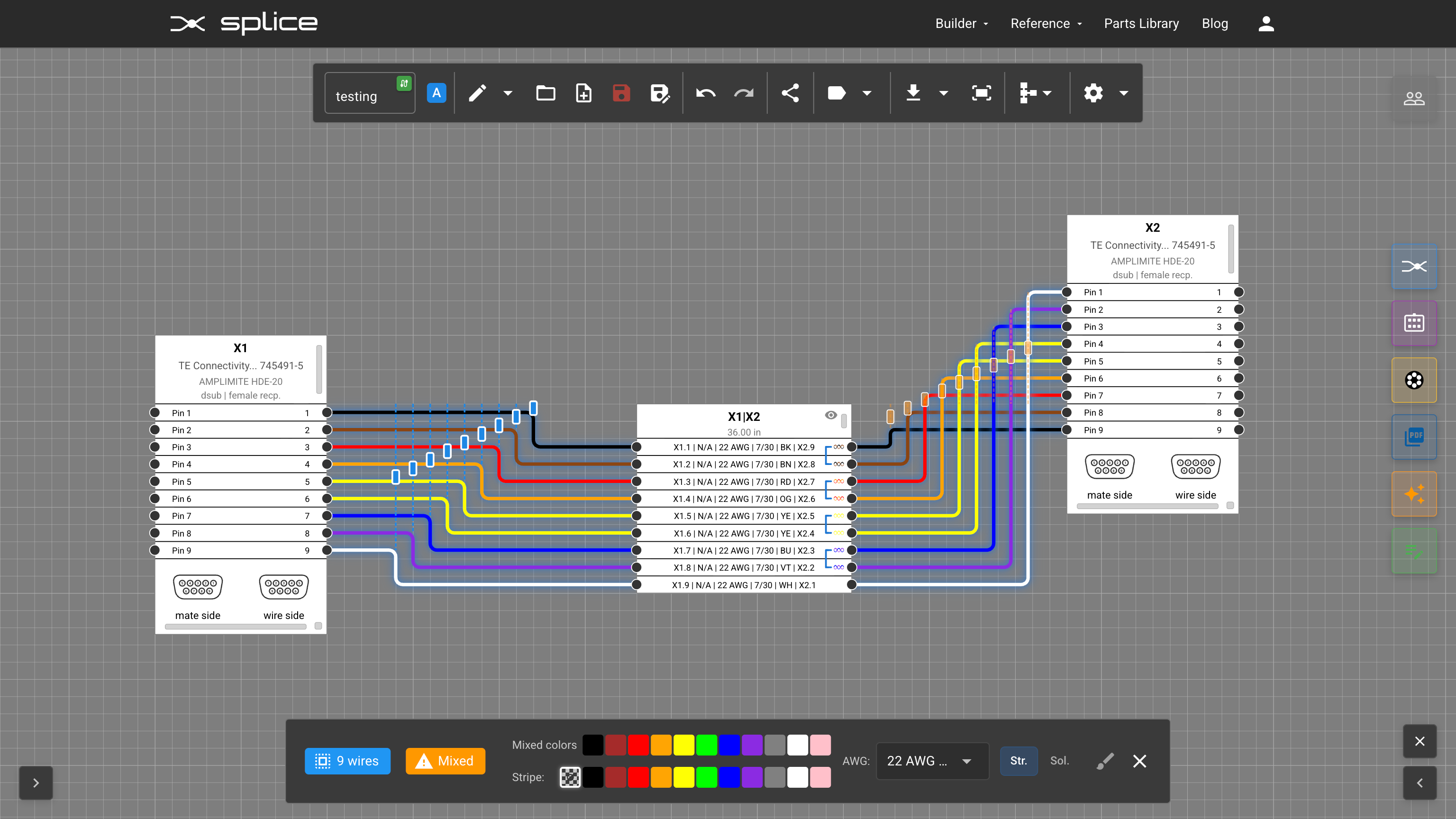 Wire anchors control the vertical jog location of wire paths and cable cores between connectors.
Box Select & Group Drag
Wire anchors are fully supported by box select — use window selection (drag right) or crossing selection (drag left) to select multiple wire anchors at once. When you drag any selected item, the entire group moves while preserving the spacing between elements.
Select multiple wire anchors and drag them as a group.
You can also include connectors, wire bundle blocks, and cable blocks in the same selection — keeping your entire layout intact when repositioning.
Select wire anchors together with components to move everything while preserving spacing.
Distribute
When multiple wire anchors are selected, use the distribute function to evenly space them apart and flip the jog ordering for better visibility. This is useful for cleaning up overlapping bundles and creating a tidy, readable schematic.
Distribute selected wire anchors to evenly space them apart.
Hotkeys While Dragging
Hold any of these modifiers while dragging a wire anchor, connector, or bundle block to change how jog positions behave:
- Shift — Snap positions to the grid.
- Alt (or Cmd on Mac) — Hold jog positions in place while the block moves.
- R — Preview auto-route; release to commit reset jogs on all affected connections.