Custom Graphics
Add custom visuals to any component using the image upload feature. This is ideal for adding datasheet images, manufacturer graphics, or custom drawings to your components.
Upload Methods
- File Upload: Click “Upload SVG or PNG” to select files from your computer
- Clipboard Paste: Use Win+Shift+S (Windows) or Cmd+Shift+4 (Mac) to capture a screen region, then click the paste button
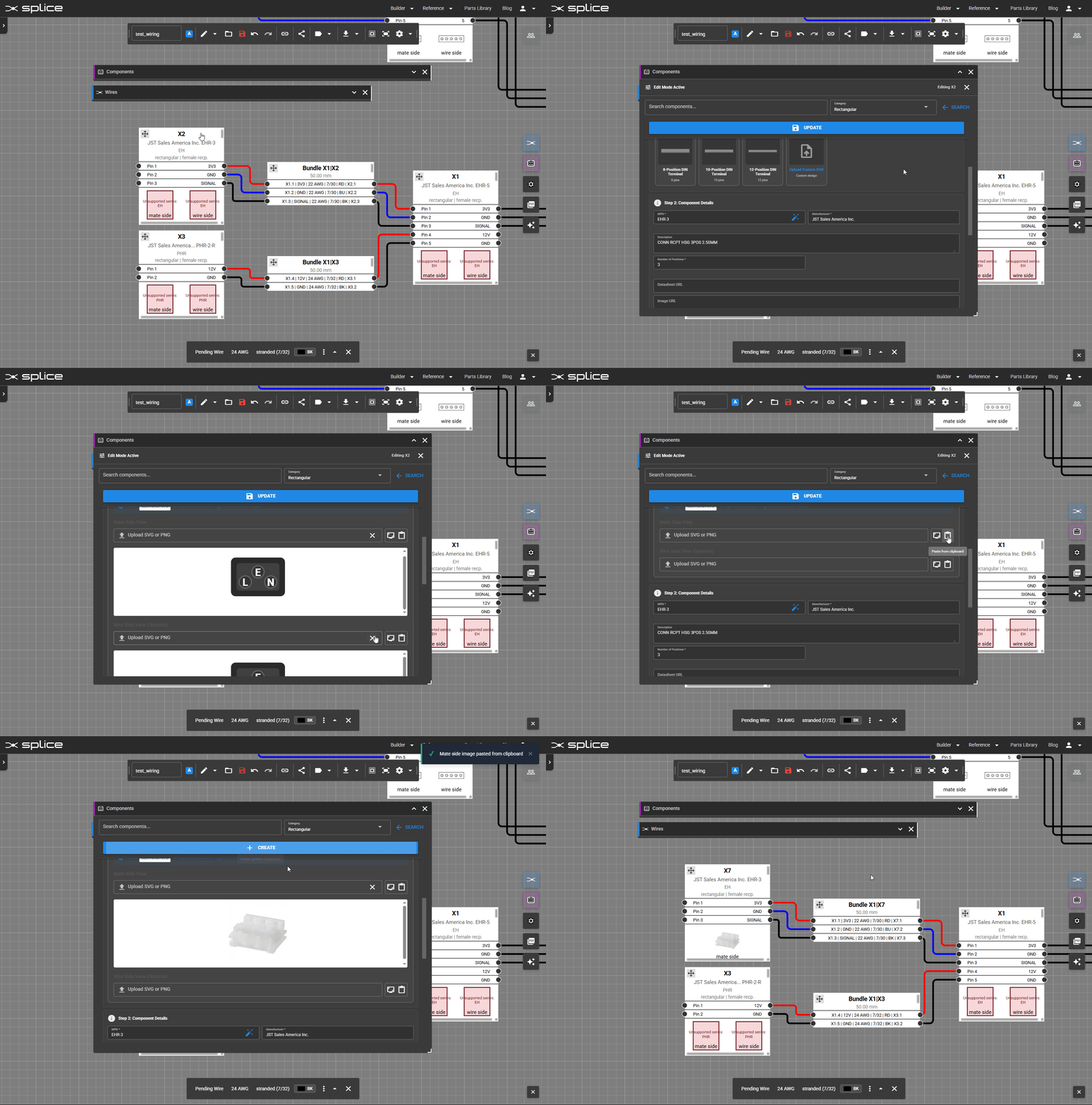 Paste a screenshot or upload an image to customize component appearance.
Supported Formats
- SVG: Vector graphics that scale without losing quality
- PNG: Raster images with transparency support
Mate and Wire Side Images
Components in Splice have two sides:
- Mate Side: The side that connects to another component (typically shows the connector face)
- Wire Side: The side where wires attach (typically shows terminals or solder cups)
You can upload different images for each side of the component to accurately represent both views.