Generic Cables
Add cables that don’t exist in the library directly from the Harness Builder. This streamlines your workflow when you need cables with custom specifications.
Creating a Generic Cable
- Open the Cables floating panel by clicking the cable icon on the right side of the canvas, or press B
- Click the Create button in the panel header
- Specify the number of cores for your cable
- Set the wire gauge (AWG) for the cores
- Toggle shielding options if needed
- Set core colors individually or apply standard color codes
- Optionally add part details (manufacturer, MPN)
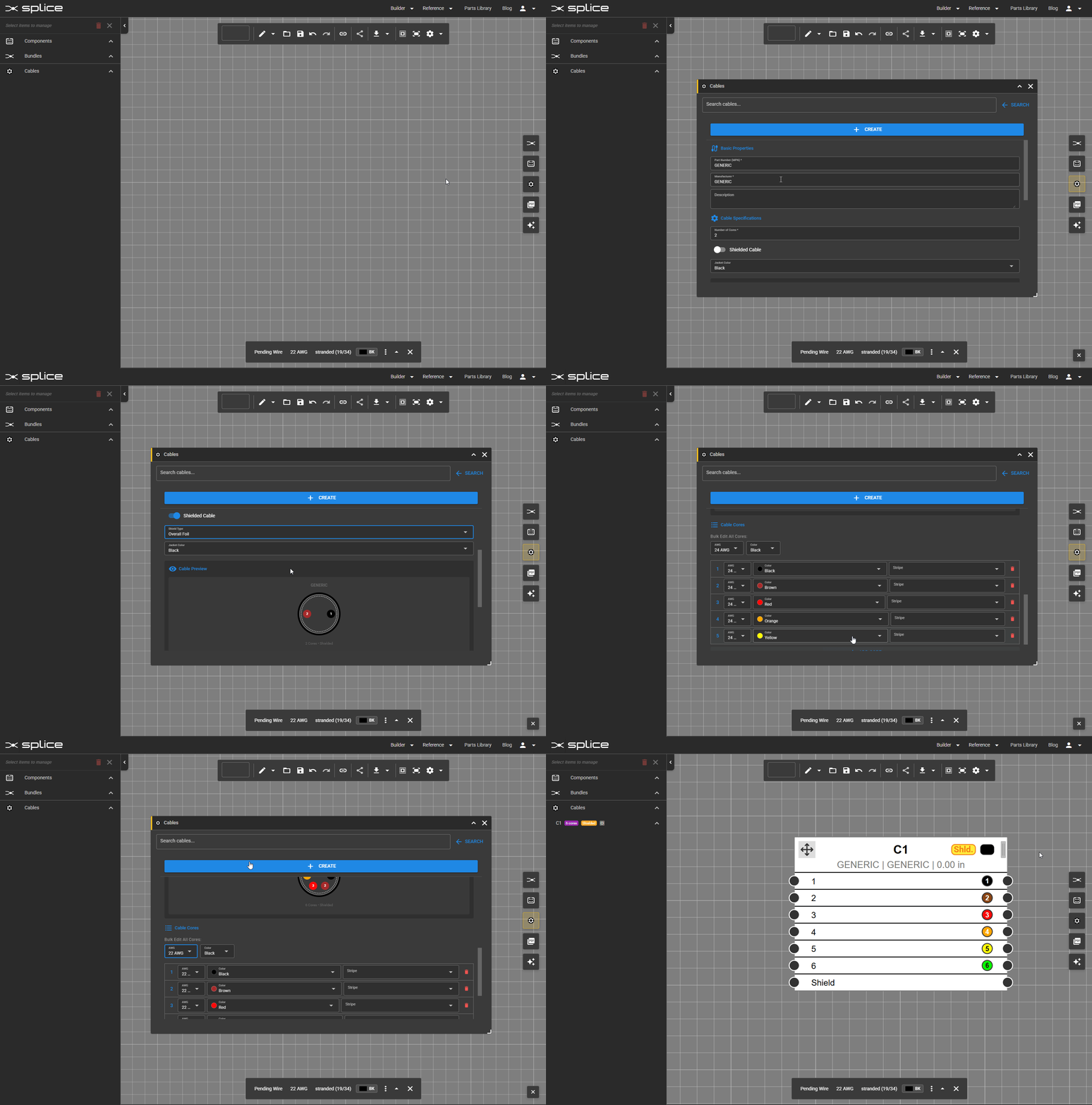 Create a generic cable directly from the Cables panel.
Editing a Generic Cable
To modify a generic cable after adding it to the canvas:
- Right-click the cable and select Edit Properties
- Or click the tune icon in the cable’s toolbar when selected
You can update the number of cores, wire gauge, shielding, core colors, and part details at any time.
Cable Properties
- Number of Cores: How many individual conductors the cable contains
- Wire Gauge: AWG size for the cable cores
- Shielding: Optional overall shield for EMI protection
- Core Colors: Individual wire colors for identification
- Part Details: Manufacturer, MPN, description for BOM generation